

For figure skaters · Apple Watch + iPhone · in development
See how fast
you really spin.
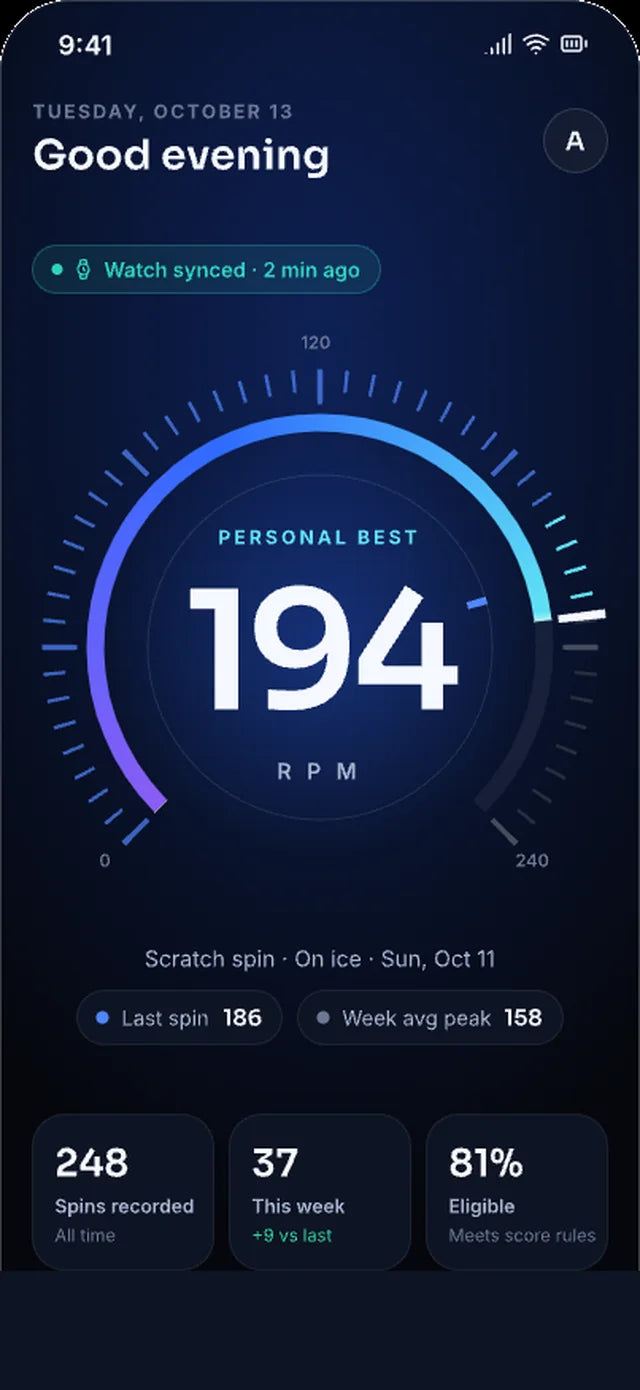
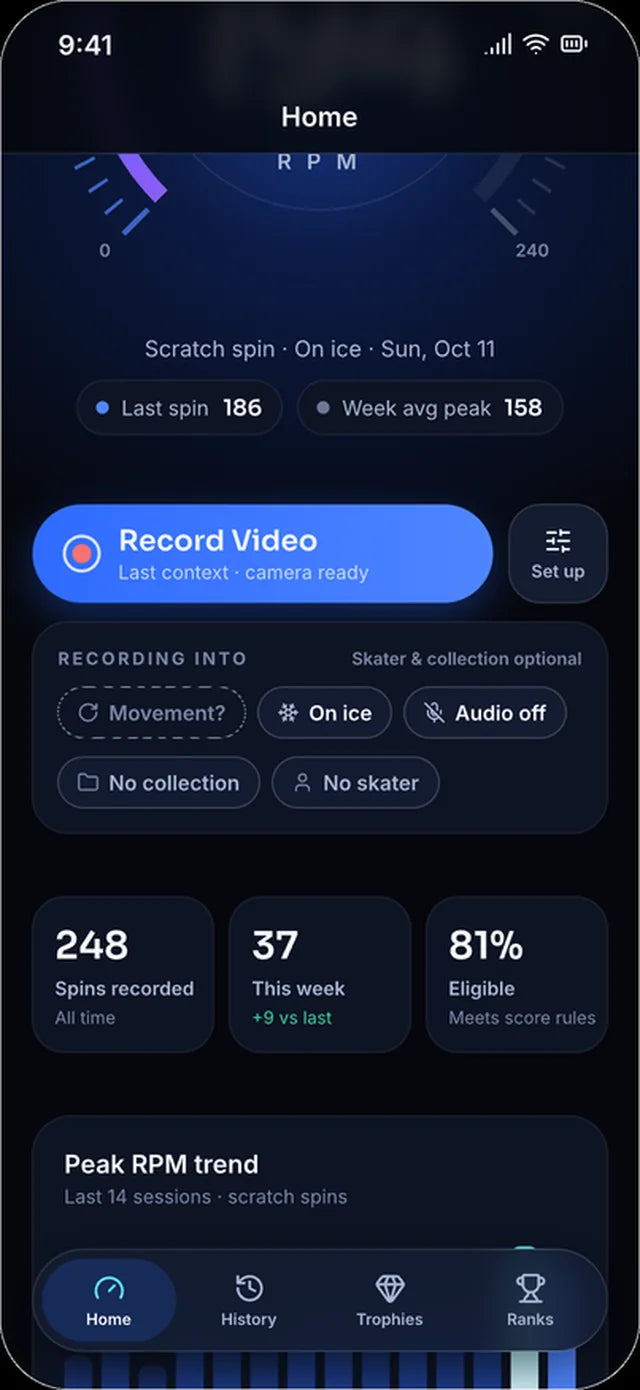
SpinRPM records your spins with Apple Watch and reports your peak RPM, average and duration the moment you stop. Every spin syncs to your iPhone, so your progress is easy to see.
App in development. Screens show the approved design and may change. Video for coaches is planned next.

01 · On your wrist
Start. Spin. Stop. Done.
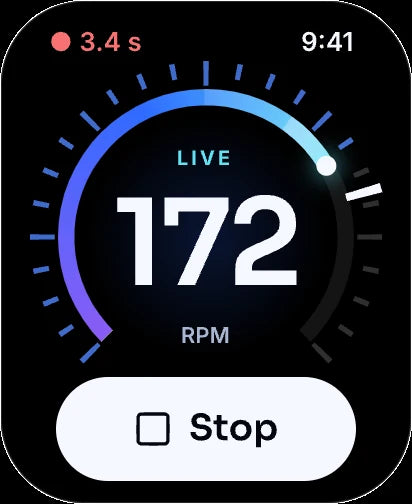
Tap Start on Apple Watch and spin. SpinRPM shows your RPM while you turn, then your peak, average and duration as soon as you stop. Tap Next Spin and go again.
-
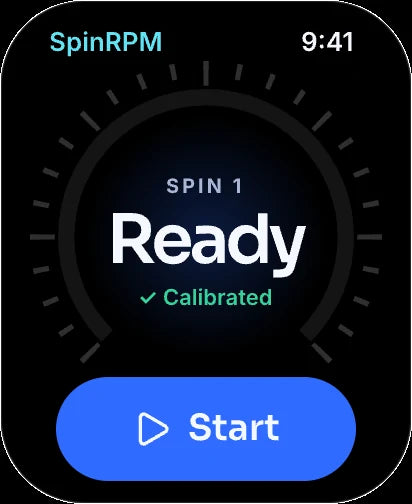
1Ready
Calibrated and waiting for your spin.
-
2Live
Live RPM while you turn.
-
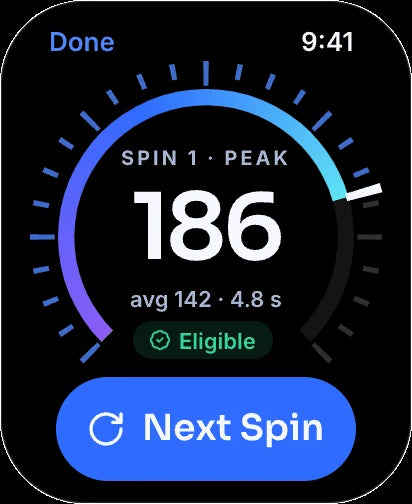
3Your result
Peak, average and duration the moment you stop.
-
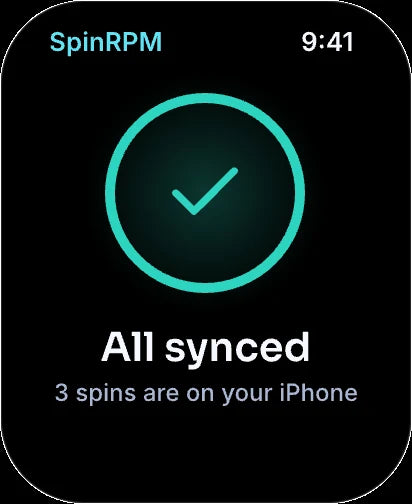
4Synced
Saved and sent to your iPhone.
RPM capture and measurement accuracy are still being validated during development.
02 · Your spins on iPhone
Every spin, saved and synced.
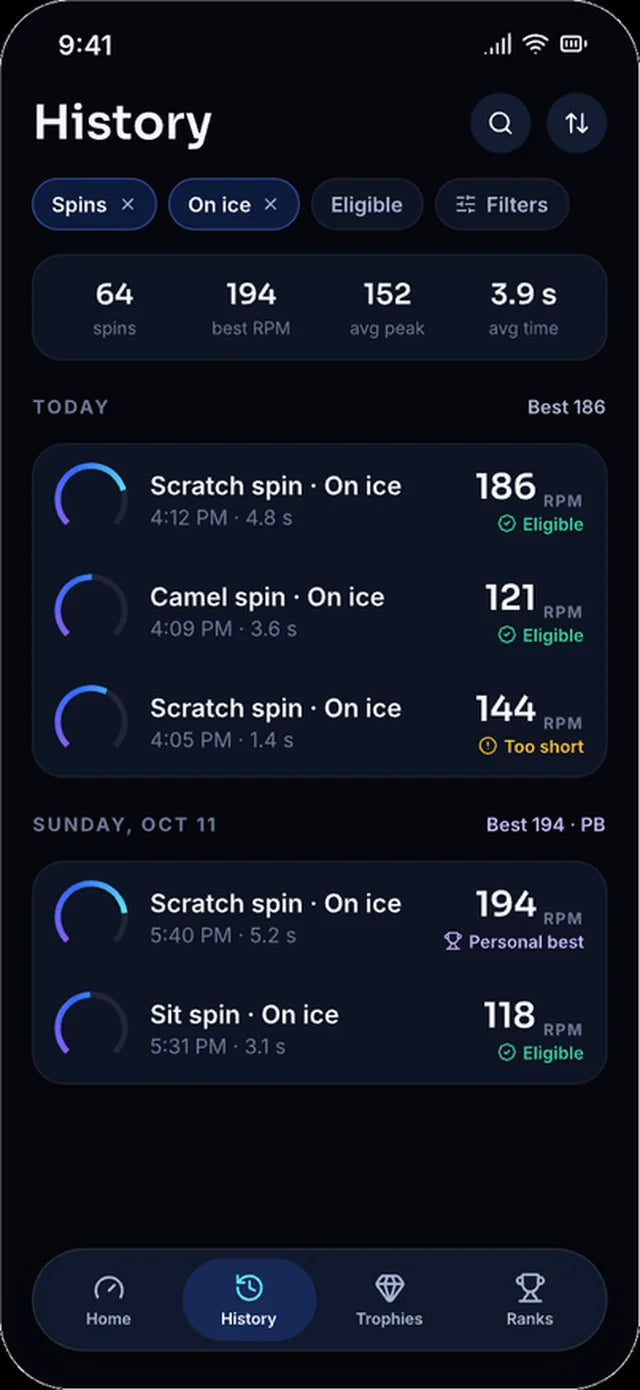
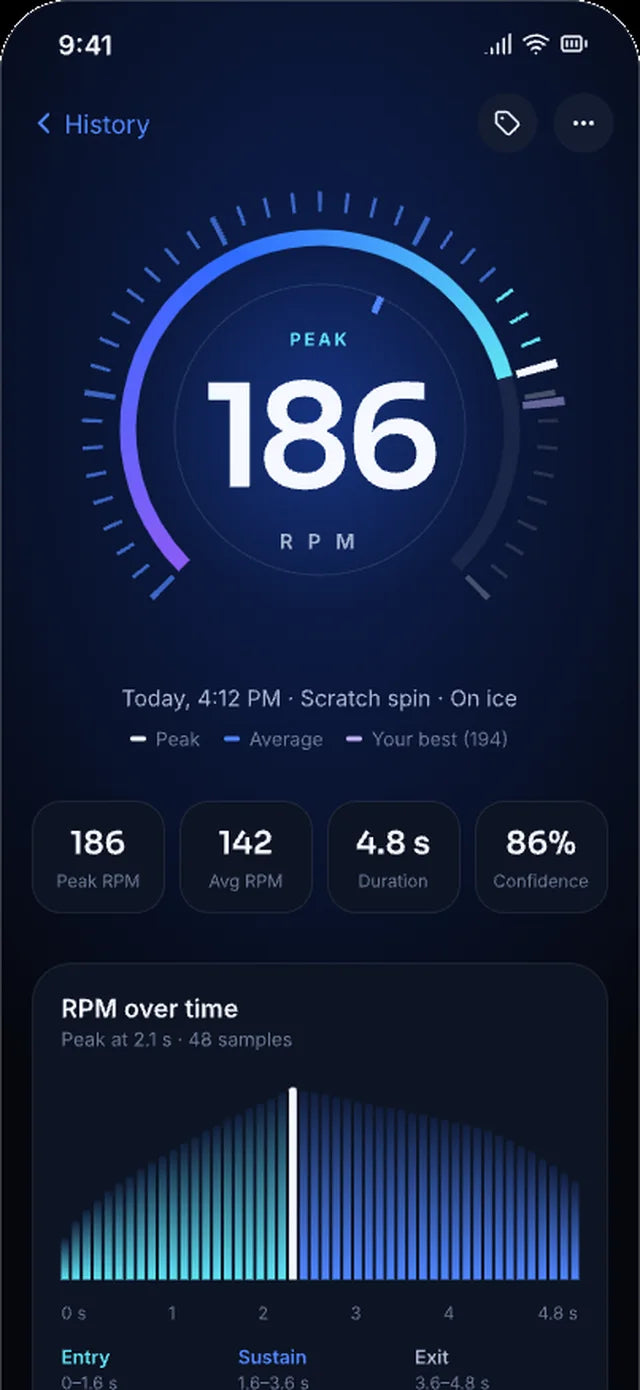
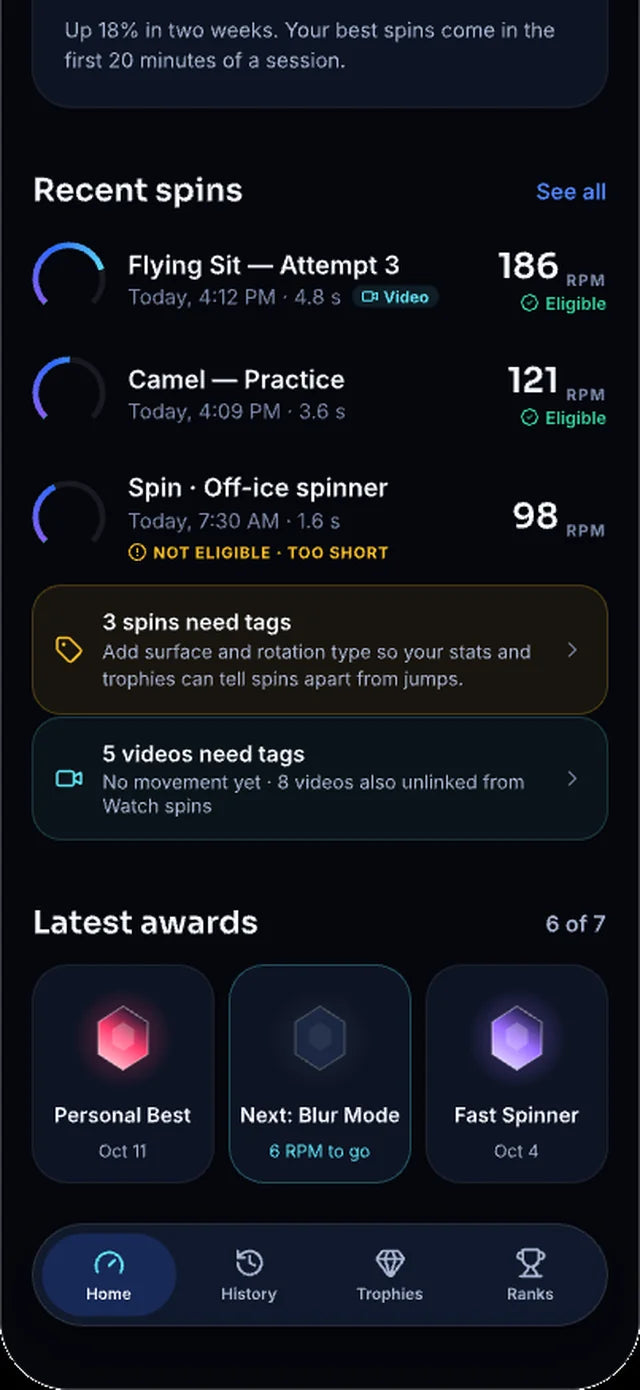
Spins recorded on your Watch arrive on your iPhone automatically. Open any spin to see how your speed built and held, then compare it with your best.
-
Synced from your WatchYour Watch sends each spin to your iPhone, ready to review.
-
Peak, average and durationSee the RPM curve for every spin, with your best marked for comparison.
-
Tag it your wayLabel the spin type and surface yourself, so you can find it later.
-
Find spins fastFilter your history by spin type and surface.
03 · Trophies & ranks
Earn it. Then chase the next one.
Hit a new speed and SpinRPM marks the moment. Your Trophy Room keeps every award, and Game Center shows how your spins compare.
-
Speed awardsUnlock awards such as Century Spin at 100 RPM and Fast Spinner at 150 RPM.
-
A celebration on your wristYour Watch shows the award as soon as you earn it.
-
Game Center ranksSubmit eligible spins and see where they land on the leaderboard.
-
Clear rulesIf a spin doesn't count, SpinRPM tells you why, such as a spin that was too short.
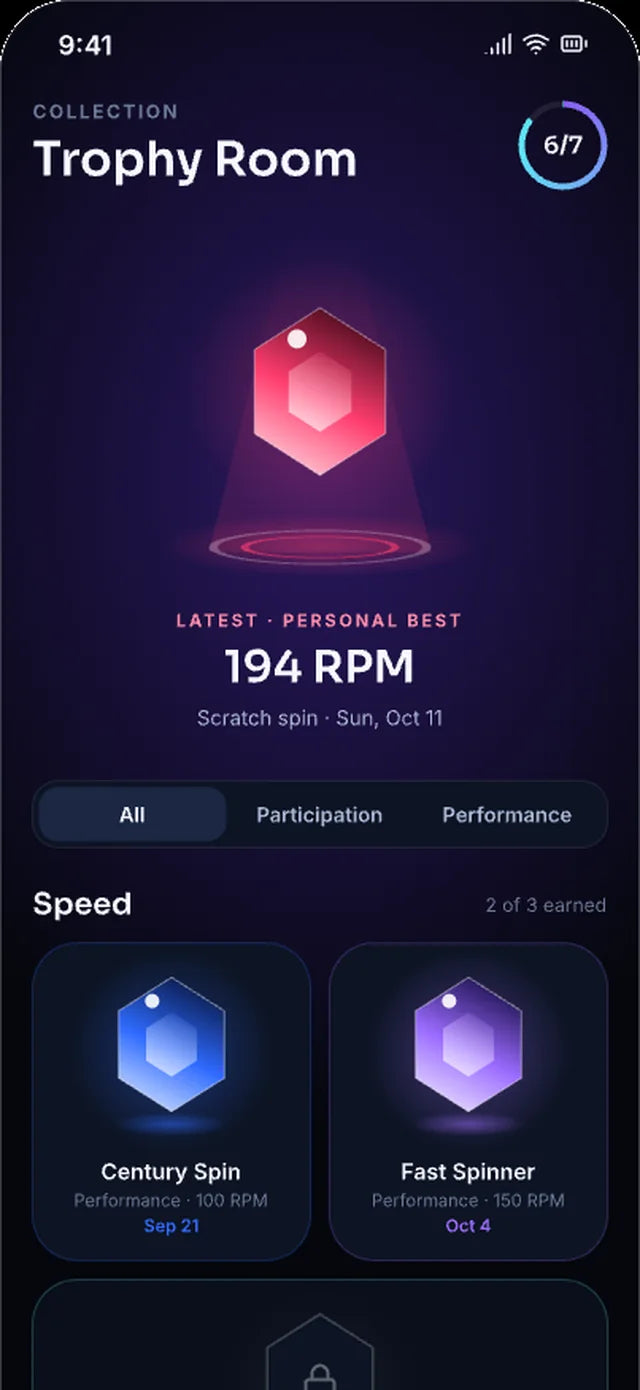
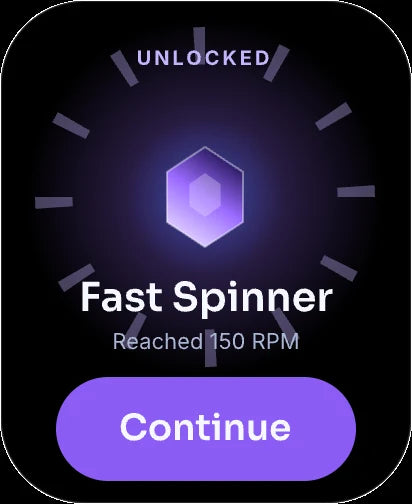
Award artwork in progress
04 · Coming next
Planned · V1.1Film it. File it.
Find it again.
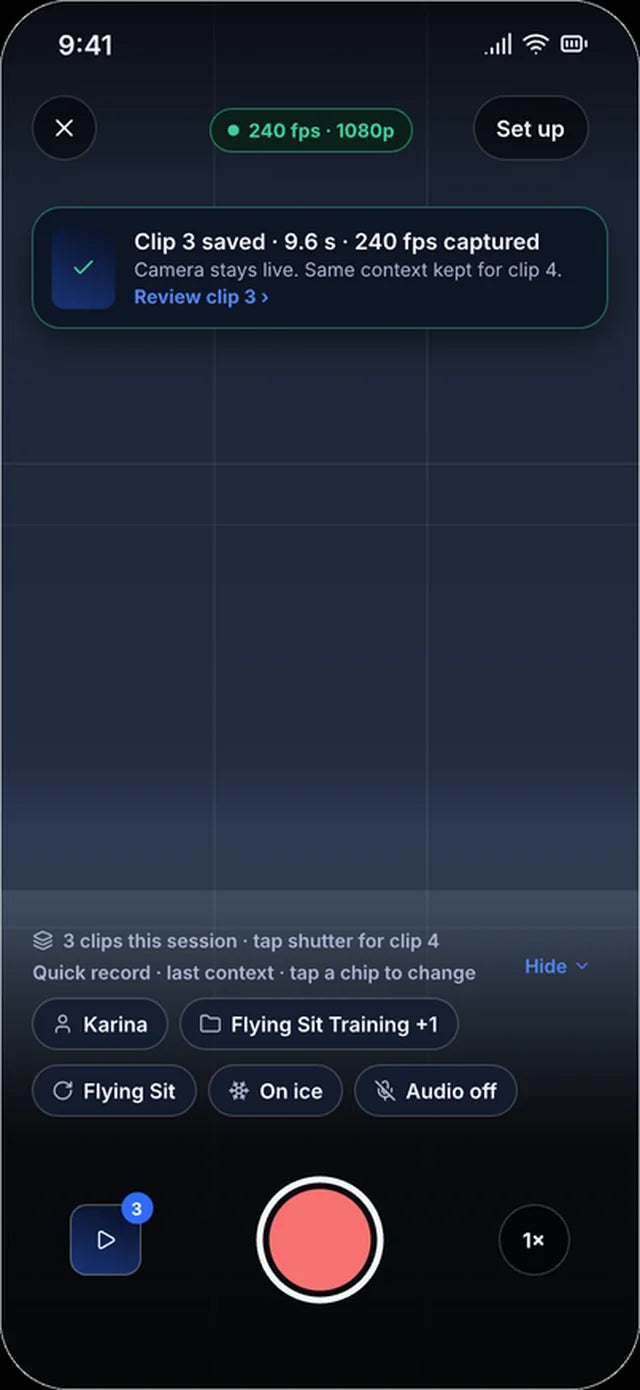
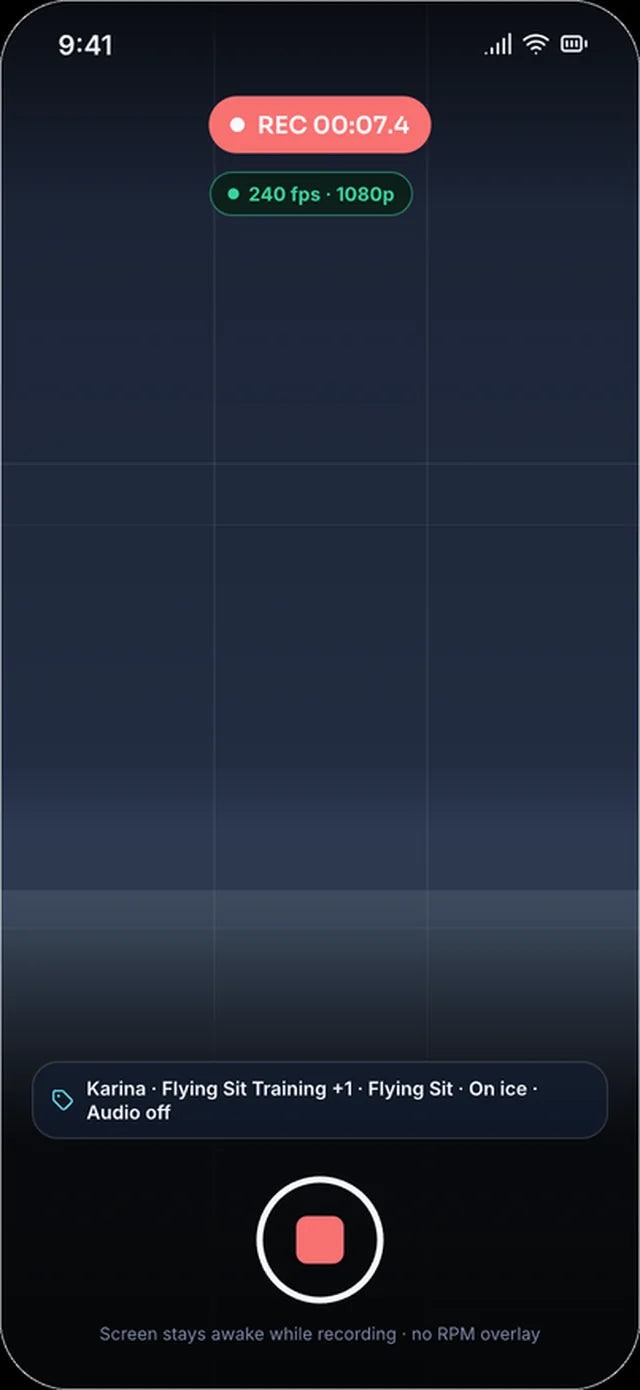
We're building video into SpinRPM for coaches. Record a skater straight from the iPhone app, and each clip is organised as you go: by skater, spin type and session.
-
Record in the appSlow motion up to 240 fps on supported iPhones.
-
Set it once, then Quick RecordChoose the skater, spin type, surface and collection first. Quick Record keeps them for the next attempt.
-
Link video to Watch spinsSave a clip on its own or with its Watch spin. Playback alongside RPM is planned for later.
-
Collections that fill themselvesFor a skater, a spin type, a session or research. Consecutive recordings go into the one you've picked.
-
Smart names, batch editsSpin-type picker, your own description and automatic attempt numbers. Tag or edit many clips at once.
-
More movementsExpanded categories, including twizzles. On Ice is the default surface, and you can change it.
Planned features. They're not in the app yet and may change before release.
Planned design · not in the app yet
05 · Research
Research · V2From RPM to Recognition.
First, measure the speed. Next, understand the spin.
Our longer-term research goal is to use computer vision and machine learning on video to identify spin positions, difficult variations and qualifying technical features, and eventually show which level requirements may have been met. It would sit alongside the motion your Apple Watch already records.
Research concept. Spin recognition and level analysis are not currently available. Future analysis would support training, not replace official judging.
-
MeasureIn developmentPeak186R P M
Apple Watch motion and RPM
Your Watch records each spin and reports peak RPM, average and duration.
-
ObservePlanned · V1.1
 240 fps
RPM over time (planned sync)
240 fps
RPM over time (planned sync)Slow-motion video
Clips up to 240 fps, linked to the Watch spin. Playback alongside RPM is planned.
-
RecognizeResearch · V2
Concept illustration
Position: upright?
Variation: ?
Rotations: ?
Change of foot: ?
Technical-feature recognition
A research goal: spin positions, difficult variations, technical features and potential levels.
Richer training insight
The long-term aim: speed, position and technical features together, tracked across your training history.
- Watch rotation data
- RPM analysis
- Video positions
- Time-aligned playback
- Technical features
- Progress over time
Spin families we're researching
- Upright spins and variations
- Sit spins and variations
- Camel spins and variations
- Flying spins
- Change-foot spins
- Combination spins
Technical features we're researching
- Difficult spin-position variations
- Flying entries
- Changes of foot and changes of edge
- Rotation counts
- Position changes and combinations
- Other features defined in the applicable skating rules
Research ambition
Ongoing researchBuilding the Future of Figure Skating Intelligence.
Our ambition is to build the world's largest specialized machine-learning dataset for figure skating spin recognition.
That means building a carefully annotated video library of figure skating spins. The value comes from the quality, diversity and technical accuracy of the training data, not simply the size of an AI model.
An ambition and an ongoing research initiative. It isn't an achieved record or a finished AI capability.
-
QualityCareful annotation of every clip, frame by frame where it matters.
-
DiversityAiming for many skaters, levels, rinks and camera angles, so the data reflects real training.
-
Technical accuracyLabels designed to follow how the applicable skating rules define positions, features and levels.
What the dataset would cover
- Spin families
- Positions
- Entries
- Difficult variations
- Changes of foot
- Combinations
- Level-relevant technical features
The goal is to help skaters and coaches understand which technical features are present and which level requirements may have been satisfied. Because spin requirements change between seasons and governing organisations, any future level analysis would be built on a versioned rules database and presented as an instructional training tool.
06 · How it works
From the ice to your iPhone.
Four steps, every session.
-
01Wear your Watch
Open SpinRPM on Apple Watch and calibrate.
-
02Start and spin
Tap Start, spin, then tap Stop.
-
03See your numbers
Peak, average and duration, right on your wrist.
-
04Review on iPhone
Spins sync to your iPhone history, ready to tag and compare.

Want to know when SpinRPM is ready?
SpinRPM is in development for iPhone and Apple Watch, with video tools for coaches planned next. If you'd like to hear more, send us a note.
Get updatesOpens an email to mark@staysharpsports.com